Expand a product into branch, region, and supplier context
Materialize the enriched result as an ontology and inspect its operational relationships.
Question for this chapter
Which branch and supplier context should be checked with a price-review candidate?
Why this matters now
A product name with a large price gap does not identify the responsible branch or affected region. Connecting product, branch, region, and supplier exposes that context without switching among tables.
Try it
Open Ontology → Modeling and select Retail Inventory Analysis. Inspect the product, branch, region, and supplier entities and their stocked-at, located-in, and supplied-by relations.
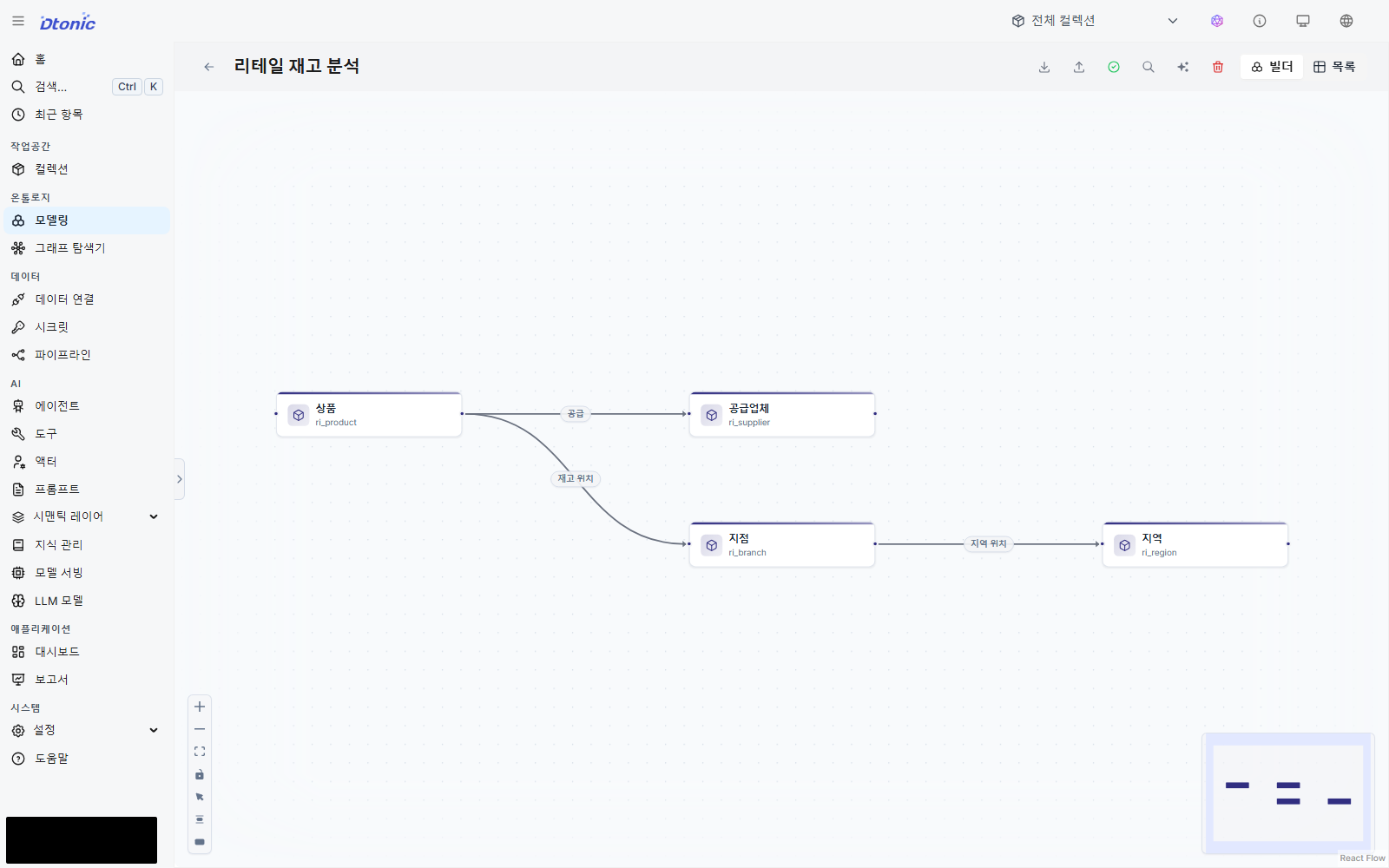
Run Retail Ontology Materialization Pipeline. Verify that data appears in all four entity and three relation datasets.
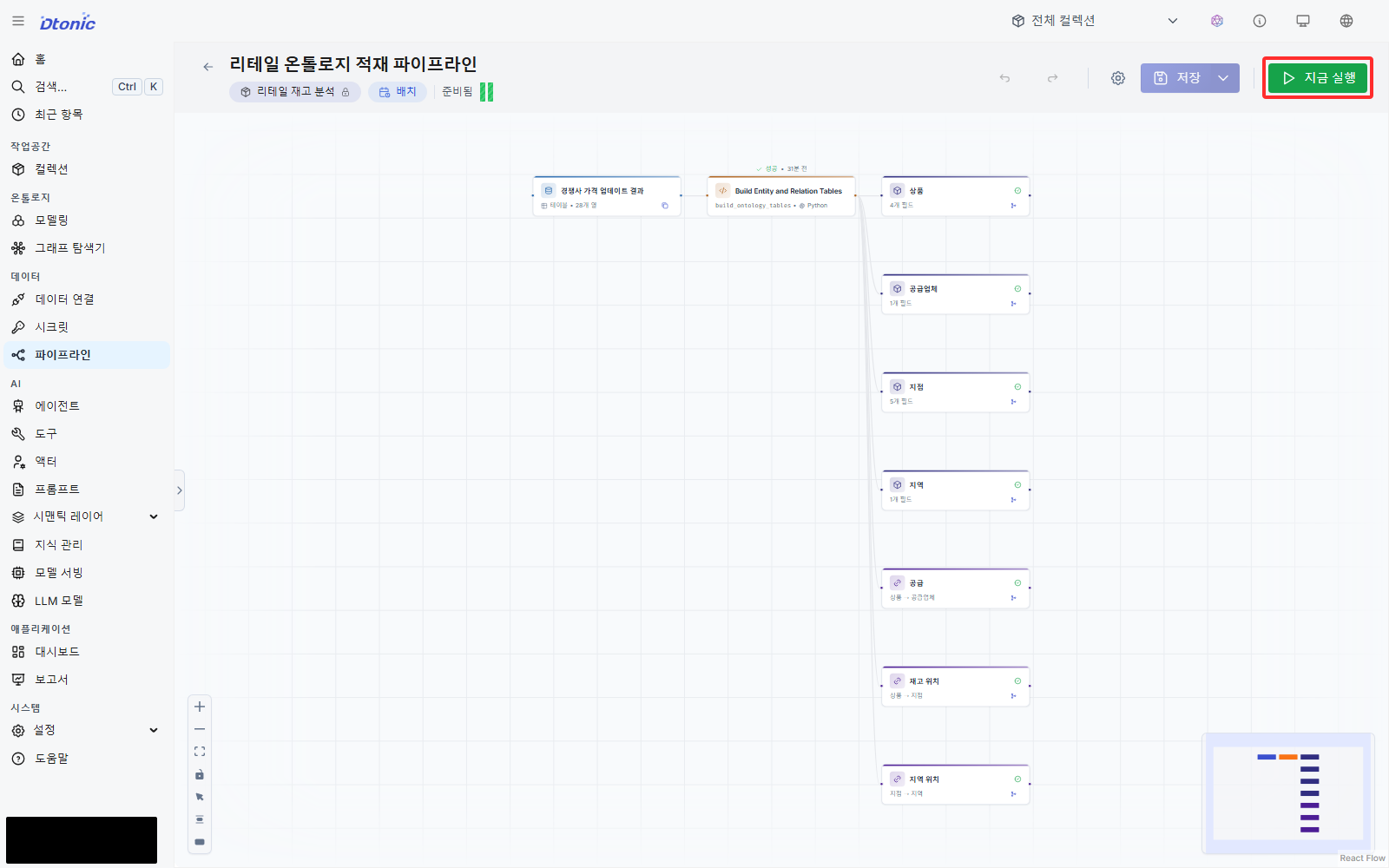
Check each asset's Data tab against the current ZIP.
| Type | Asset | Rows |
|---|---|---|
| Entity | Product | 8 |
| Entity | Branch | 11 |
| Entity | Region | 11 |
| Entity | Supplier | 8 |
| Relation | Located in | 11 |
| Relation | Stocked at | 56 |
| Relation | Supplied by | 8 |
After checking the seven row counts, expand one product's relationships.
- In Graph Explorer, select Retail Inventory Analysis.
- Select
ri_productunder Entities. - Select one product and record its
item_codefrom Node properties. - Inspect the stocked-at branch and supplier connections returned with the product.
- Select a connected branch and use Expand neighbours to add its region.
Success looks like this
The current seed creates 8 products, 11 branches, 11 regions, and 8 suppliers. It creates 11 located-in, 56 stocked-at, and 8 supplied-by relations. If those row counts match and the graph connects the selected product to branches, regions, and a supplier, the step succeeded. The node and relation badges count only the current selection and expansions, not all 38 nodes and 75 relations.
Interpret the result
The 46,700 raw rows aggregate to 56 stocked-at relationships at product × branch level. Price and
inventory remain on ri_stocked_at, so a candidate product can be traced to its affected branches.
Next decision
Relationships explain a candidate's context but do not choose a priority. Next, read the dashboard in a fixed order and decide the response.