Model registration and agent setup
What you will learn
Register an LLM model, connect system instructions and operating mode, and assemble an agent for real use.
This lesson moves from data surfaces into the AI layer. You register one model, choose how it will run, and wire it into an agent with the right instructions and tools.
Review the model list and add a model
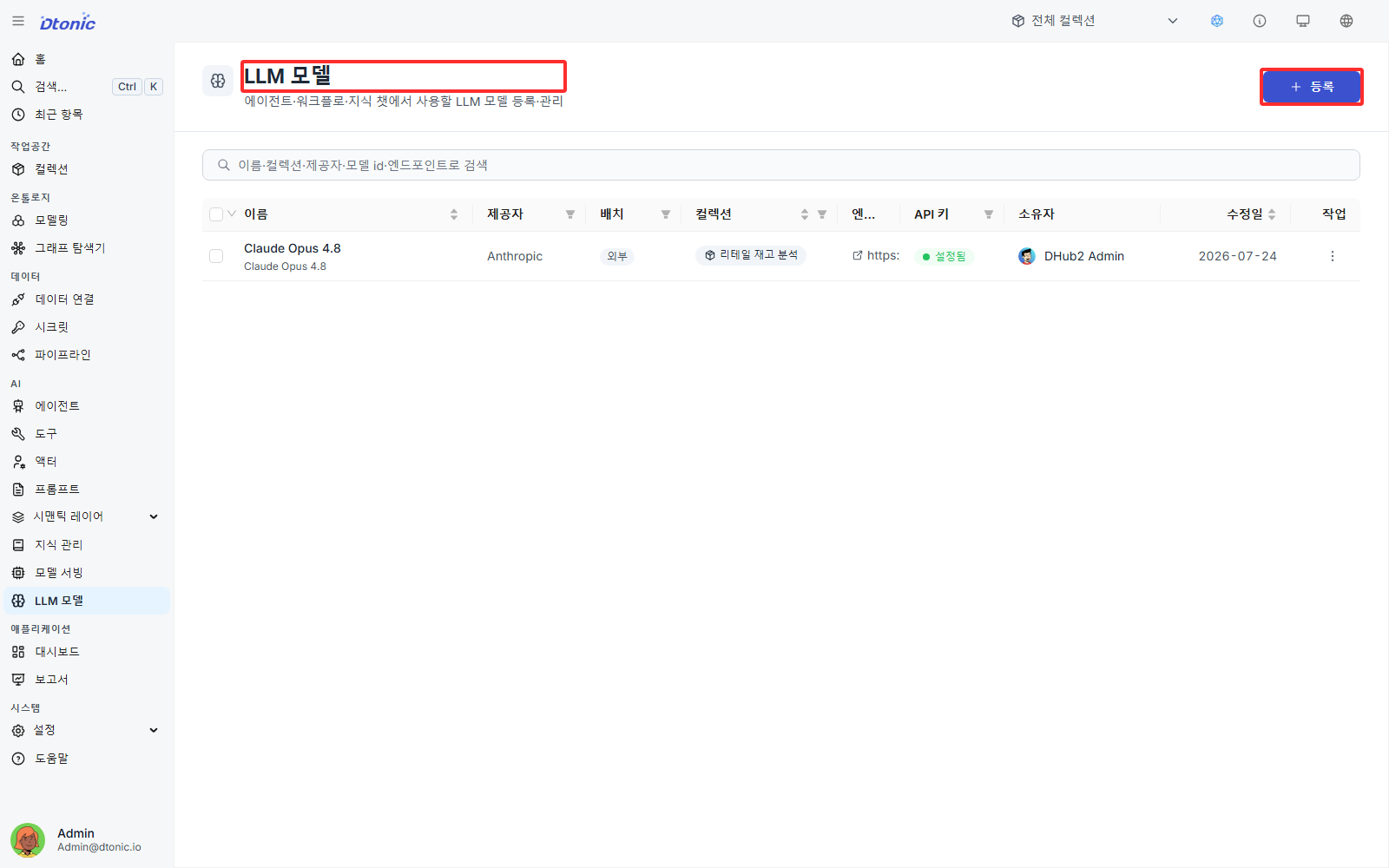
Open LLM Models from the left sidebar, review the available models, and click Register in the top-right area.
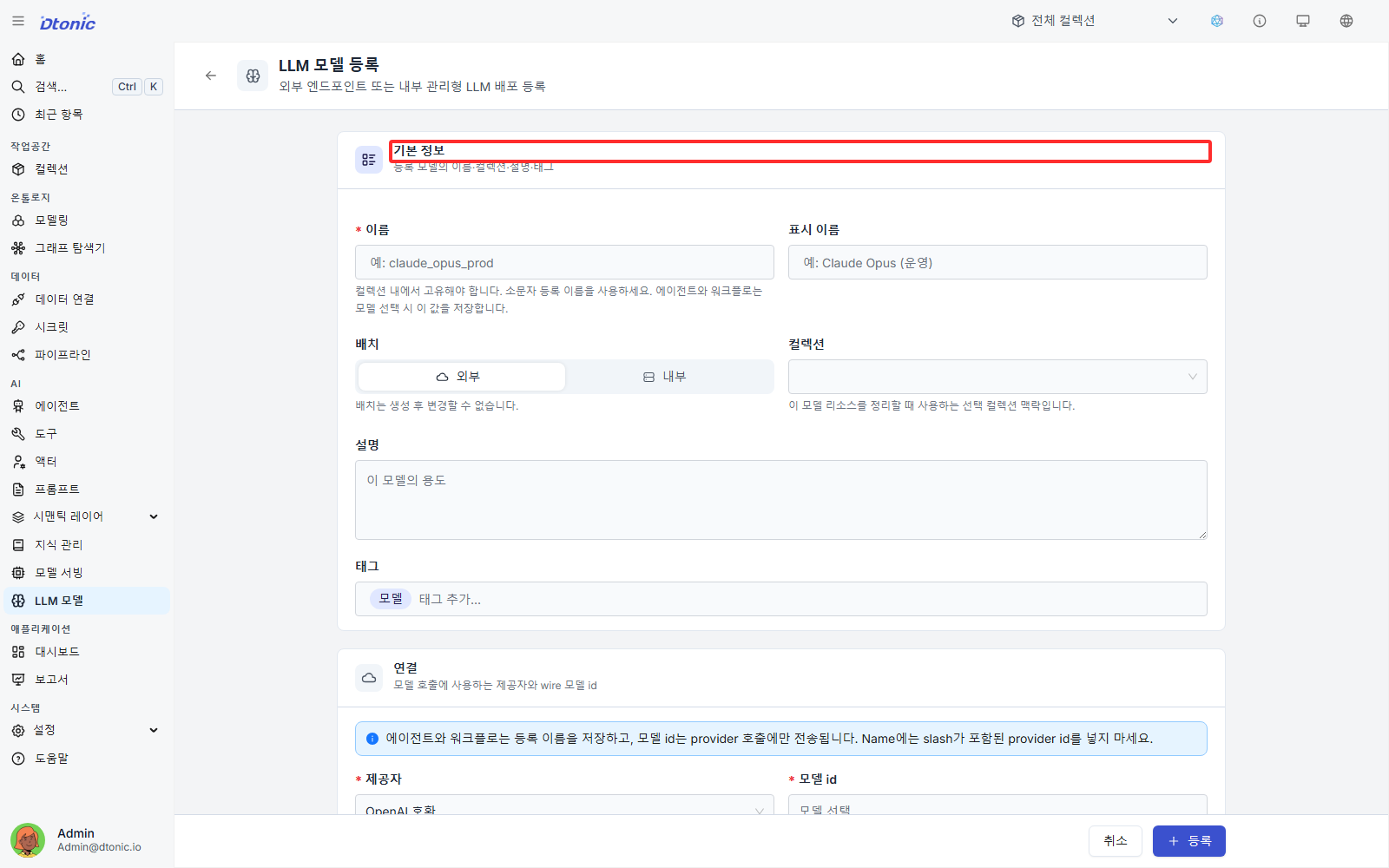
Enter model metadata and choose a placement
Fill in the model name, alias, mapped collection, and description.
- External: Register a model through an externally provided AI service endpoint or a separately hosted server.
- Internal: Run the model inside platform-managed resources and enter deployment details such as image and port settings.
- Note: The placement cannot be changed after registration.
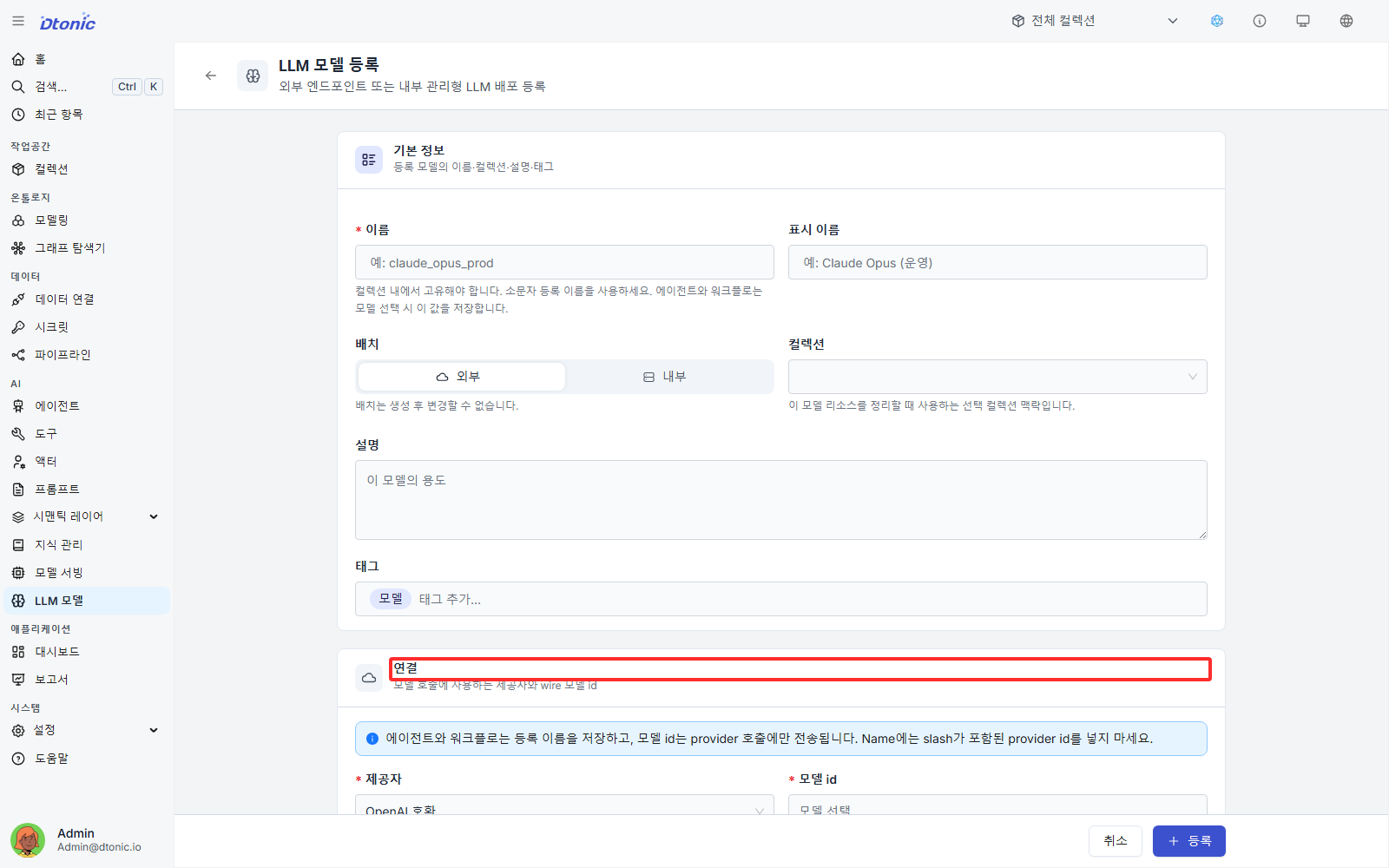
Set the provider and model identifier
Pick the provider registered in the platform, such as an OpenAI-family or Claude-family provider, then enter the model ID that will be sent through the API, for example claude-opus-4-7 or gpt-oss-120b.
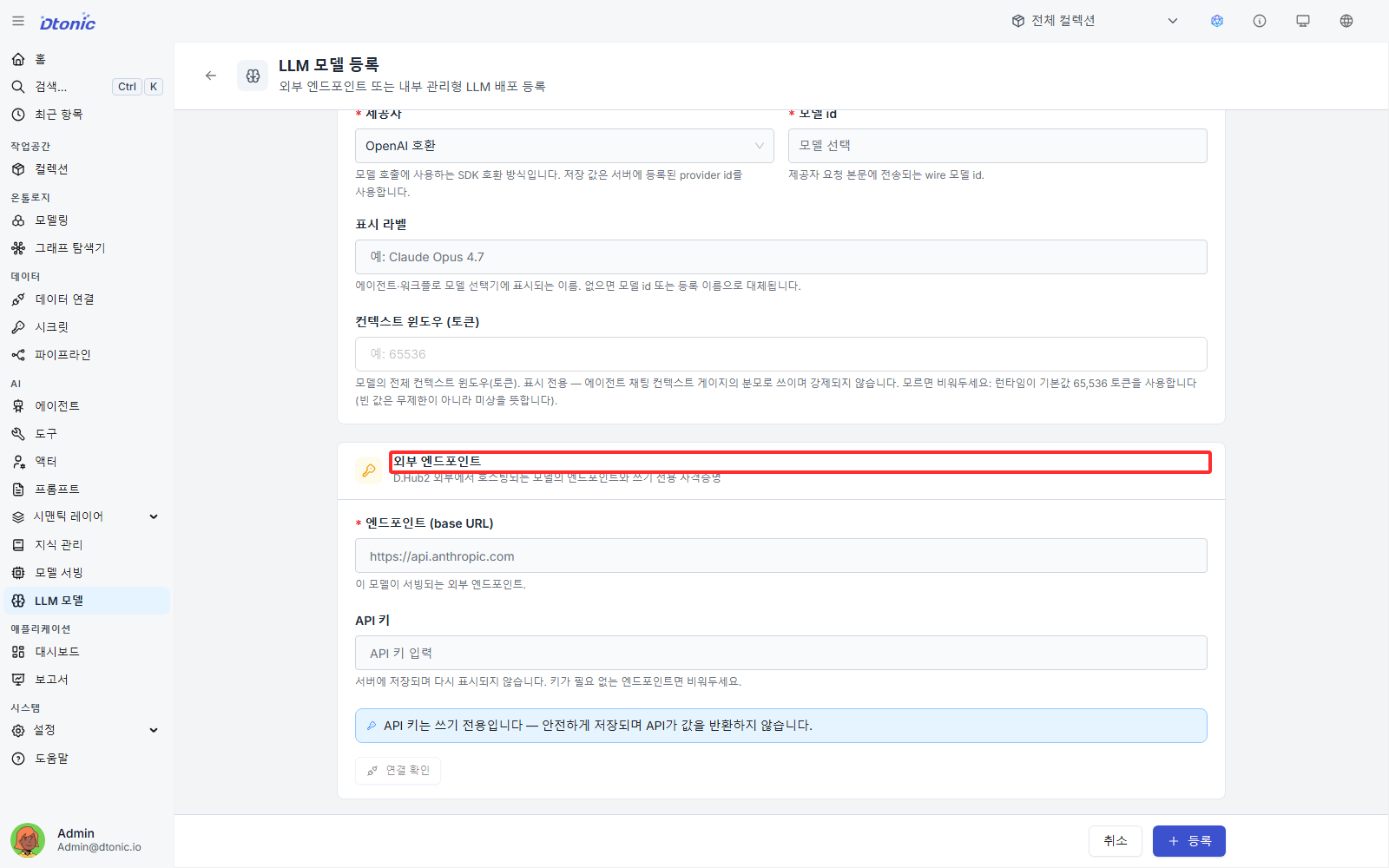
Register the endpoint and API key
For an external model, enter the request endpoint and the API key, then click Register. For an internal model, the access route is connected automatically from the deployment settings.
Create an agent and map it to a collection
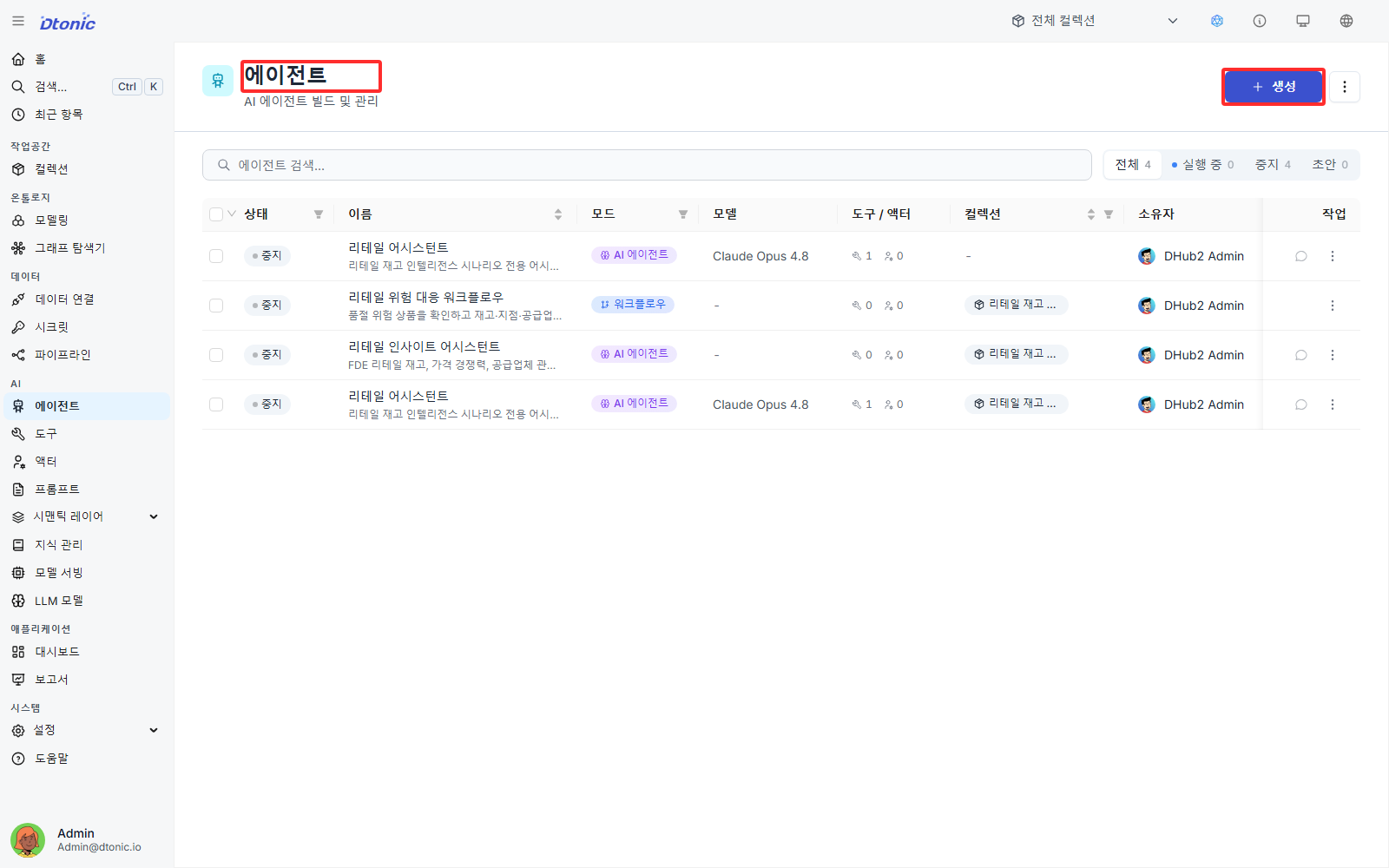
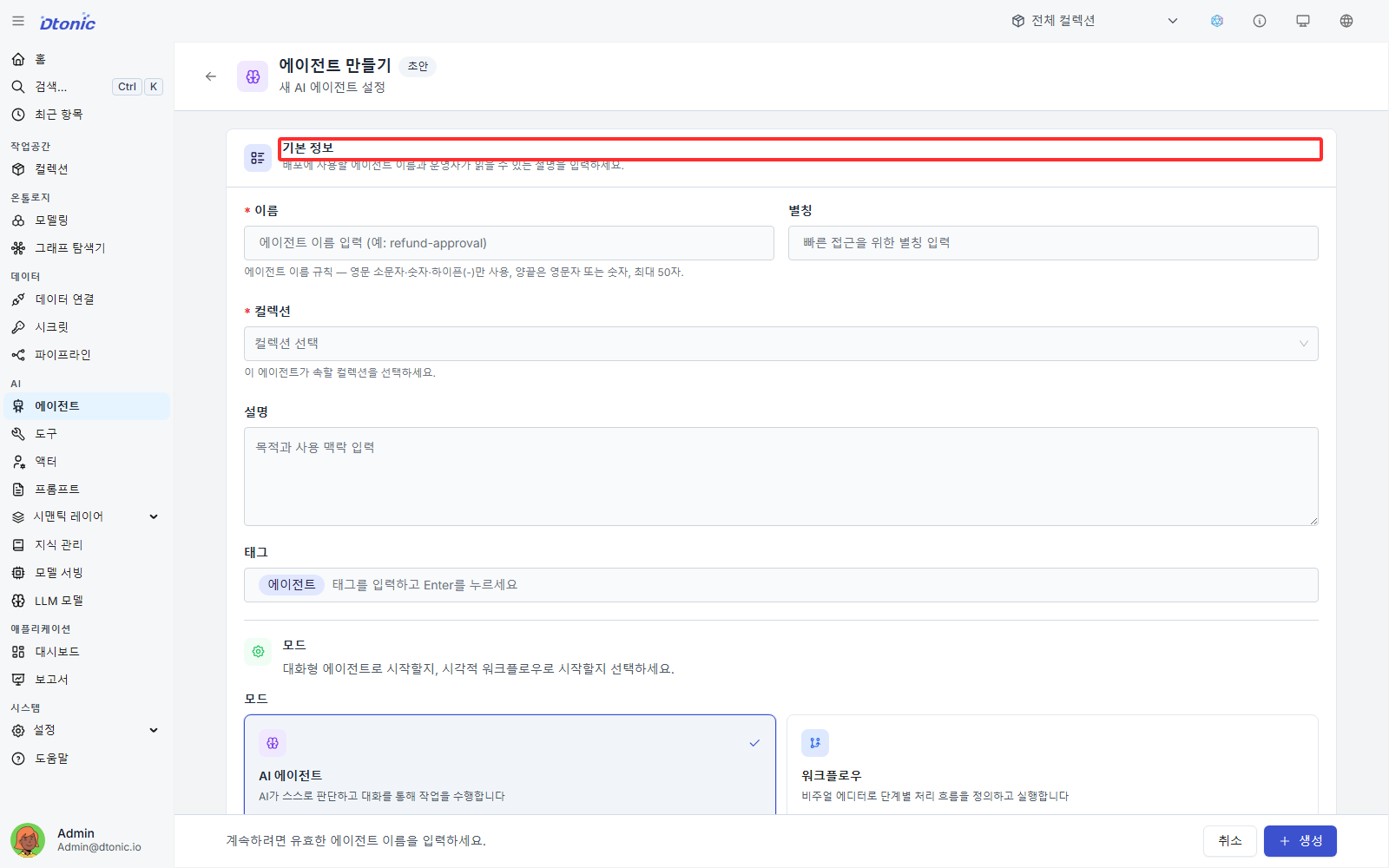
Open Agents in the left sidebar, review the current agents, and click Create. At this step, also set the Collection the agent will belong to.
Connect the operating mode and system instructions
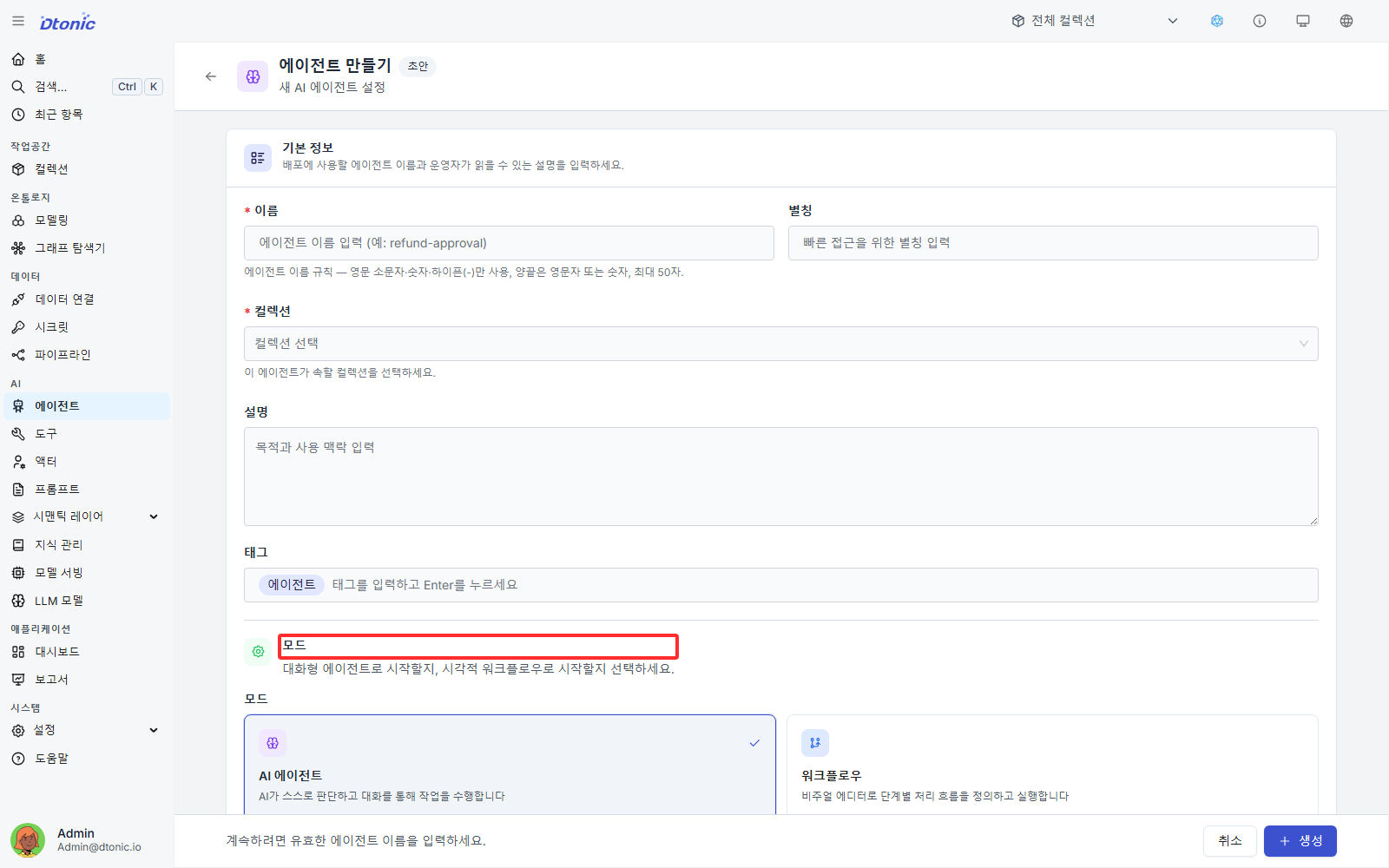
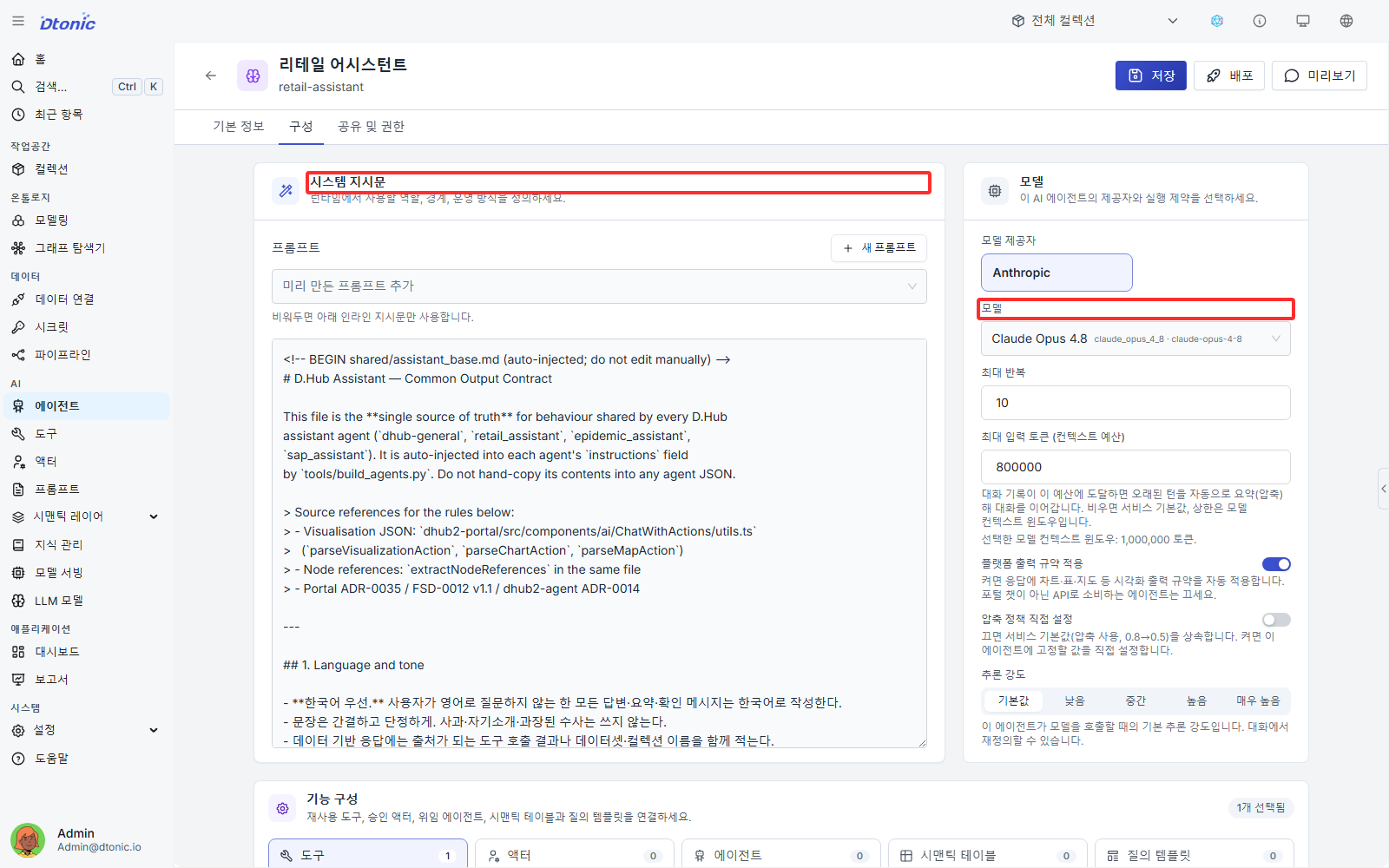
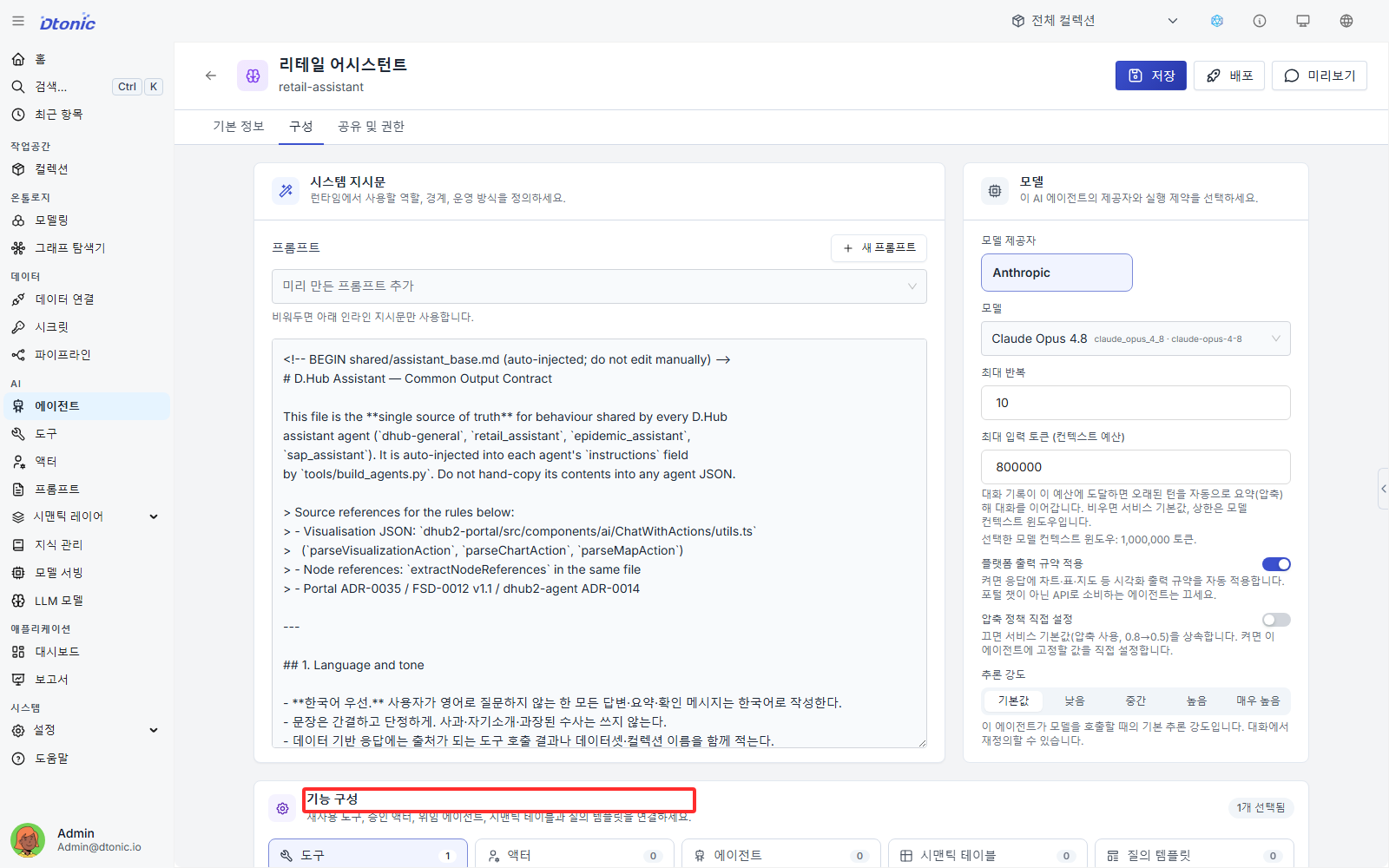
Fix the agent to either AI Agent mode or Workflow mode. Then, on the agent detail screen, connect the system instructions and the LLM model you just registered.
Choose the available tools
From the checkbox list, select the tools and actors the agent will be allowed to call while following its instructions.
Next lesson
In the next lesson, you complete the execution layer by connecting tools, connectors, and knowledge.
Before you finish
Use these questions to check whether you achieved this lesson's goal.
- Can you repeat ‘Model registration and agent setup’ without following the instructions?
- Can you name at least one place to check when the result differs from what you expected?